
Search for a SlotRave casino app in the App Store or on Google Play and you will find nothing. No glitch, and no sign that the brand is hiding something. There is no native SlotRave app, there never has been, and thanks to Apple's review rules and a Curaçao licence there almost certainly never will be. What exists instead is a progressive web app: the same site you open in a browser, saved to your home screen as an icon, running full-screen without the address bar. Australians get the whole lobby that way, all 12,000-plus games including the 8,700-plus pokies, on both iOS and Android.
We tested it properly rather than taking anyone's word for it. Between 20 and 28 July 2026 we ran the SlotRave mobile casino on a Pixel 8 in Chrome and an iPhone 13 in Safari, on home Wi-Fi and on a Telstra 5G connection, and measured what it cost in storage and in data. We installed it, deleted it, reinstalled it, deposited AU$50 from the phone, played Aviator and a handful of Pragmatic Play pokies, opened an Evolution blackjack table over mobile data, and pushed a passport photo through the verification uploader with a phone camera.
The other thing we did was read what other sites say about a SlotRave app download, and a fair few of them are simply wrong. Several list "Download for Android" buttons, describe an install wizard that does not exist, and one points at an APK hosted on a domain with no connection to the casino at all. That last category is where players actually get hurt, so it gets its own section further down. If you take one thing from this page: nobody at SlotRave will ever ask you to sideload a file.
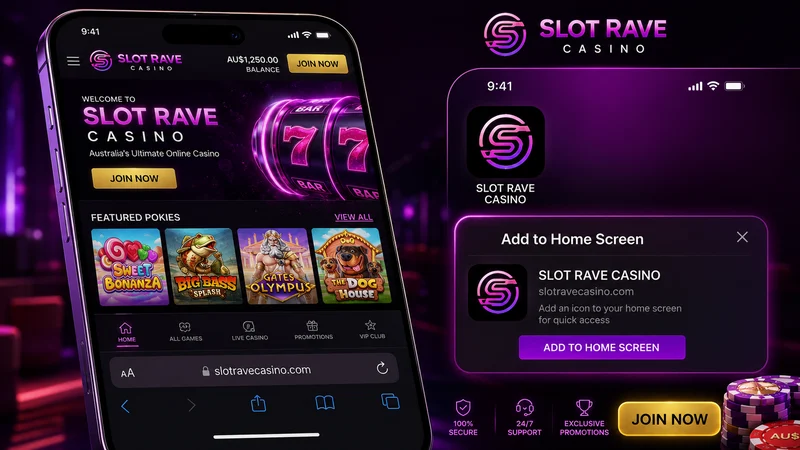
SlotRave PWA versus a native app: what actually differs
A progressive web app is a website that behaves like an app once you save it. The browser caches the shell (layout, icons, fonts, the scripts that build the lobby) so that on second launch it opens from local storage rather than rebuilding from scratch. Tap the icon and you get a full-screen window with no URL bar, no browser tabs, and its own entry in the app switcher. Most players who have it installed do not realise they are technically still in Chrome or Safari.
Forget the "is a PWA as good as a real app" framing. The useful question is what a native SlotRave android app would actually hand you that this one does not, and we went through it point by point.
| Factor | SlotRave PWA | Typical native casino app |
|---|---|---|
| Storage used | Roughly 40–70 MB of browser cache after a full session | 90–250 MB installed, growing with each update |
| Updates | Silent, server-side. You are always on the current build | Manual or scheduled downloads, 30–80 MB each time |
| Install friction | Three taps, no store account, no download | Store account, download, install, permissions prompt |
| Push notifications | Supported on Android; on iOS only once saved to the home screen | Full support on both platforms |
| Speed on first open | Slower — the shell has to download once | Instant, because it is already on the device |
| Speed after that | Effectively identical; games stream either way | Marginally faster shell, same game load times |
| Device permissions | Only what the browser already has (camera for KYC, on request) | Whatever the app asks for at install |
| Security surface | Sandboxed by the browser, no system-level access | Depends entirely on the source of the file |
| Store availability | None needed | Requires a licence the operator does not hold |
| Account and balance | One account across phone, tablet and desktop | Same, but a separate login per install |
Read that table again and the honest conclusion is that the PWA wins on more rows than it loses. The only genuine advantage a native build offers is the very first launch, and that gap is about two seconds. Everything else (space, updates, permissions, the number of things that can go wrong) favours the web version. Casino games are streamed from the provider's servers in every case. Pragmatic Play's Gates of Olympus is not sitting on your phone in either scenario; it is rendered in a frame and pulled down over the network. An app wrapper would not change a single frame of it.
Where the PWA is genuinely weaker: it depends on the browser being healthy. Clear your browsing data with the aggressive settings on and you wipe the cache, which means the next launch is a cold one and you may need to log in again. That is mildly annoying and takes twenty seconds to fix.
How to install the SlotRave app on Android, step by step
Chrome handles this best. Samsung Internet works too, with a slightly different menu. Firefox on Android can do it but hides the option in a less obvious place. Here is the Chrome route as it ran on our Pixel 8:
- Open Chrome and go to the SlotRave site. Wait for the lobby to finish rendering. The install option only appears once the browser has confirmed the site meets PWA requirements, which takes a few seconds on a first visit.
- Log in first if you already have an account. Doing it in this order means the saved instance opens straight into your session instead of a login screen.
- Tap the three-dot menu in the top right corner.
- Choose Add to Home screen or Install app. The wording varies by Chrome version, and both do the same thing.
- Confirm the name in the dialog. Chrome pre-fills it with the site title; you can shorten it so the label fits under the icon.
- Tap Add, then Add automatically if a second prompt offers to place it for you.
The icon lands on your home screen and, on most Android builds, also appears in the app drawer alongside real apps. Long-pressing it gives you the standard uninstall option, which removes the shortcut without touching your account. Total elapsed time on our device: 19 seconds.
If the install option does not appear
Two things cause this. Either the page has not finished loading, or you are browsing in Incognito. Chrome will not install a PWA from a private tab. Switch to a normal tab, reload, give it five seconds, and the menu item appears. On Samsung Internet the equivalent path is the three-line menu, then Add page to, then Home screen. Some Samsung builds show a small house-with-plus icon directly in the address bar, which is faster.
One habit worth forming before you install anything: check the address bar. It should show the casino's own domain over HTTPS with a padlock. If you arrived through a search ad or a forum link and the domain looks close-but-not-quite, close the tab. Phishing clones of casino front pages are common precisely because they harvest logins that carry a balance.
Installing the SlotRave iOS app on iPhone and iPad
On Apple devices the process is different and the browser you use matters more than most players expect. Safari is the one that works properly. Here is the sequence from our iPhone 13 running iOS 18:
- Open Safari. Not Chrome, not Firefox, and definitely not the in-app browser inside Instagram or Telegram.
- Load the SlotRave site and log in.
- Tap the Share button, the square with an arrow pointing up. It sits in the bottom toolbar on iPhone and the top toolbar on iPad.
- Scroll the share sheet down until you see Add to Home Screen. It sits below the sharing targets, in the list of actions.
- Edit the name if you want, then tap Add in the top right.
The icon appears on the last page of your home screen. Tapping it opens a standalone window with no Safari chrome around it. No address bar, no tab strip, nothing along the bottom. That is the whole trick behind a SlotRave iOS app: Safari with the furniture taken out.
Chrome on iOS is not a shortcut to the same result
Newer iOS versions do let third-party browsers offer Add to Home Screen from their share sheets, and players assume that makes them interchangeable. They are not. The shortcut a third-party browser creates does not always get the same standalone treatment, and it keeps its own storage, so the session you had in Safari does not carry across and you will be asked to log in again. If you have already installed from Chrome and it behaves oddly, delete the icon, open Safari, and redo it there. Two minutes of work, and it removes an entire category of "why did it log me out" complaints.
Quirks specific to iPhone
Safari manages stored data on its own schedule. If the phone sits unused for a long stretch, or you clear website data manually, the saved session can be cleared and the next launch drops you at the login screen. That is the browser tidying up rather than the casino kicking you out. Your balance, bonus progress and Rave Coins are held server-side, untouched by anything that happens on the device.
The other one: iOS asks for camera access the first time you photograph a document for verification, and if you tap "Don't Allow" the prompt does not come back on its own. You have to go to Settings, find the entry for the saved web app, and switch Camera back on. We hit this exactly once and lost five minutes to it.
Why there is no SlotRave app in the App Store or Google Play
This is the part almost nobody explains properly, and it is not a mystery once you read the platform rules. Both stores allow real-money gambling apps. Both attach conditions that an offshore casino serving Australia cannot satisfy.
Apple requires that a real-money gaming app be submitted by the licensed operator itself, be free to download, and be geo-restricted to the specific jurisdictions where that operator holds a licence for the activity. The licence has to be recognised for the territory the app is distributed in. SlotRave runs on a Curaçao licence under TechSolutions Group N.V., an offshore licence that does not authorise online casino operation inside Australia, because Australia does not issue online casino licences to anyone. There is no jurisdiction box to tick, so the submission fails at the first gate.
Google's policy for Play works the same way: real-money gambling apps are permitted only in an approved country list, and only from operators who hold a valid licence in that country and complete a separate application per market. Australia's licensed online market covers sports wagering and lotteries, not casino games. An online pokies app aimed at Australians therefore has no legal category to be approved under, regardless of how well-built it is.
The Interactive Gambling Act 2001 targets the operator
Under the Interactive Gambling Act 2001 (Cth), it is the offshore operator that breaks the rules by offering casino services to Australian residents without a local licence. The Act does not make the individual player the offender. ACMA's enforcement tool is blocking sites at the ISP level, which is also why offshore brands rotate domains. It is worth knowing the actual shape of the law rather than the version repeated in forum arguments, and it explains why store distribution was never on the table for this brand.
There is a footnote to all of this that also serves as a fraud test. Because a real gambling app must be free in the store, and because the operator has to submit it under its own name, any listing or download page that charges you, that comes from a "publisher" you have never heard of, or that is hosted outside a store entirely, is not the real thing. The rules that keep the genuine article out of the store also make the fakes easy to spot.
Fake SlotRave APK files: how not to install malware
Type "slotrave apk" into a search engine and results appear. Some of them are aggregator sites reposting each other. Some host an actual file. None of them are the casino. An Android package downloaded from a third-party site can request permissions no browser tab ever could, and casino-themed APKs are a known delivery method for banking trojans. The kind that draw a fake login screen over your real banking app, or read the one-time codes arriving by SMS.
Here is what a dangerous download actually looks like:
- The file is hosted on a domain that has nothing to do with the casino: an apk-mirror, a file locker, a Telegram channel, a link in a YouTube description.
- You are told to enable "Install unknown apps" or "Unknown sources" in Android settings. Genuine store apps never require this.
- The installer requests SMS access, contacts, call logs, or the big one, Accessibility Services. A casino has no use for any of them. Accessibility access lets an app read and control everything on screen.
- The file size is wildly off, either a few hundred kilobytes (a downloader stub) or several hundred megabytes (a bundle hiding a payload).
- It is described as a "mod", "hacked", "premium unlocked" or "guaranteed win" build.
- The download page asks you to log in with your casino details "to verify your account" before the download starts. That is credential harvesting, plain and simple.
- The page has no HTTPS padlock, or the domain is a near-miss of the real one with an added hyphen or a swapped letter.
And the safe version of mobile play, which costs nothing and takes twenty seconds:
- Reach the site by typing the address yourself or from a bookmark you made previously.
- Confirm HTTPS and the exact domain before logging in.
- Install through the browser's own Add to Home Screen function — that is the only install the casino supports.
- Keep Google Play Protect switched on. It scans sideloaded packages as well as store ones.
- If you have already installed a suspicious APK: uninstall it, revoke any Accessibility permission it holds, run a scan, and change your casino and banking passwords from a different device.
What works in the mobile version, and what does not
We worked through every function we could find on the phone and compared it to the same task on desktop. The mobile build is close to complete; the differences are ergonomic rather than functional.
| Feature | Works on mobile? | Notes from testing |
|---|---|---|
| Pokies lobby (8,700+ titles) | Yes | Full catalogue, lazy-loaded in blocks as you scroll |
| Provider filter (100+ studios) | Yes | Long list in a scrolling drawer; search inside it is faster |
| Live casino (Evolution, Ezugi) | Yes | Portrait works; landscape gives you the side bets and chat |
| Aviator and crash games | Yes | Spribe's Aviator is built mobile-first and feels better on a phone than on desktop |
| Deposits | Yes | PayID and cards both completed without leaving the browser window |
| Withdrawal requests | Yes | Same cashier, same AU$50 minimum, same limits |
| KYC document upload | Yes | Camera capture works; you can shoot the document instead of finding a file |
| Live chat support | Yes | Overlay panel, 24/7; covers about a third of the screen while open |
| Bonus claiming and tracking | Yes | Wagering progress bar is smaller but readable |
| Responsible gambling limits | Yes | Deposit limits, loss limits, reality check, cooling-off and self-exclusion all reachable |
| VIP progress and Rave Coins | Yes | Level and coin balance in the account panel |
| Multiple games at once | No | One game per screen. Desktop-only behaviour, and no phone handles it well |
| Detailed game info panels | Partly | RTP and volatility notes are collapsed behind an icon on narrow screens |
| Long transaction history | Partly | Readable but cramped; export and long-range filtering are easier on desktop |
Two practical notes from the sessions. Turning the phone to landscape for live tables is worth doing. The portrait layout stacks the betting grid and you lose the side-bet spots that make blackjack and roulette interesting. And the verification step is genuinely better on a phone: photographing your ID with the rear camera produces a sharper, better-lit image than the scans people upload from a desktop, which is the single most common reason documents get rejected. If you want the full document checklist before you start, we set it out under uploading SlotRave verification documents from your phone.
The games themselves are the same builds you get on desktop. Pragmatic Play, Play'n GO, NetEnt, Nolimit City and the rest ship HTML5 titles that resize to the viewport, so the reels are smaller but nothing is missing. Our full breakdown of the catalogue, including which studios dominate and where the high-volatility titles sit, is on the page covering SlotRave pokies on a phone screen, and the dealer-side detail (studios, table limits, stream behaviour) lives under SlotRave live dealer streams on mobile.
Performance on mobile data: what a session actually costs you
Nobody publishes this, so we measured it. Figures below come from Android's per-app data counter on the Pixel 8 across separate sessions on 26 July 2026, with the phone on 5G and nothing else running. Because a PWA runs inside the browser, the usage shows up under Chrome rather than as its own line item, which is worth knowing if you go looking.
| Action | Approximate data used | Time |
|---|---|---|
| First load of the lobby (cold, nothing cached) | 4–5 MB | 3–6 seconds on 5G |
| Reopening the saved icon afterwards | Under 1 MB | Around 1 second |
| Scrolling the pokies lobby for 2 minutes | 3–6 MB | — |
| Loading a single pokie | 2–8 MB depending on the studio | 2–5 seconds |
| 30 minutes of pokies play | 15–25 MB | — |
| 30 minutes at a live table (auto quality) | 150–300 MB | — |
| 30 minutes at a live table (lowest quality) | 60–90 MB | — |
| Uploading two ID photos for verification | 4–8 MB | 10–20 seconds |
The headline is obvious once you see it laid out: pokies are cheap, live dealer is expensive. Video is video, and an Evolution table is a broadcast stream. If you are on a capped plan, drop the stream quality in the table's settings menu. The dealer stays perfectly visible at the lower setting and you cut usage by more than half. On a good 5G connection the auto setting is fine and the picture holds without stutter.
Battery is the other cost nobody mentions. Half an hour of live blackjack took about 11% off a Pixel 8 at medium brightness, roughly double what the same time on pokies used. Streaming video plus a bright screen is simply a heavier load. If you are grinding wagering requirements on a train, pokies are the sensible choice for more than one reason. The mechanics of that grind, the 40x on bonus funds and the three-times deposit turnover sitting underneath it, are broken down in full under claiming the SlotRave welcome bonus from your phone.
Mobile deposits and withdrawals at SlotRave
The cashier is the same one you get on desktop, which matters because the mobile version of many casino sites quietly drops methods. This one does not. Every deposit route we could see on a laptop was present on the phone, and PayID in particular suits mobile better than anything else. You approve the payment inside your own banking app, then switch back.
| Method | Deposit range | How it feels on a phone |
|---|---|---|
| PayID | Per your bank's limits | Best mobile option — approve in your banking app, return, done |
| Visa / Mastercard | AU$20–5,000 | Fine; use the phone's saved card autofill rather than typing |
| Skrill / Neteller | AU$10–3,000 | Redirect and return; keep the e-wallet app installed and logged in |
| Neosurf / Paysafecard | AU$10–1,000 | Easiest of all — type the voucher code, no accounts involved |
| Crypto (BTC, ETH, LTC, USDT) | AU$20–6,000 | QR code scanning from a phone wallet is the one genuine mobile advantage |
| Bank transfer | AU$50–4,000 | Works, but slow at both ends. Least suited to a phone session |
Minimum deposit is AU$10, though you need AU$20 to trigger the free spins attached to the welcome offer. That detail costs first-timers their spins with depressing regularity. The full method-by-method rundown, including which routes clear instantly and which do not, sits under SlotRave mobile deposit options.
Withdrawals are where phones help least, because the bottleneck is the operator's processing queue rather than your device. Minimum cashout is AU$50. Limits run to AU$6,000 a day, AU$24,000 a week and AU$75,000 a month. Crypto lands in hours, cards and e-wallets in one to three business days, bank transfer up to five. Some players report the real-world average closer to five days across the board, which is slower than the offshore market average. Submit the request from the phone by all means; just do not expect the app-like interface to speed up a human review. We go through the queue, the documents and the delays in detail under cashing out from the SlotRave mobile cashier.
One sequencing tip that saves days: verify your identity before you ever request a payout. The document upload takes four minutes on a phone with a decent camera, and doing it early means the withdrawal request is not sitting in a queue waiting for a passport photo. If you have not opened an account yet, the process and the fields that trip people up are covered under sign up for a SlotRave account on mobile.
Playing from the phone also feeds the loyalty ladder at exactly the same rate as desktop: one Comp Point per AU$10 wagered on pokies, converting to Rave Coins, with 300 coins worth AU$1. Fifty levels, a Porsche at the top, and a lot of turnover in between; the arithmetic is laid out under the SlotRave Rave Coins loyalty ladder.
Verdict on the SlotRave mobile casino
If you came here asking "is there a SlotRave app", the accurate answer is: there is a mobile experience worth using, delivered as a PWA rather than a store download, and it does everything the desktop site does apart from running two games at once. Installing it takes under half a minute on either platform. It costs you almost no storage, updates itself, and cannot ask your phone for permissions it has no business having.
The brand's real weak points have nothing to do with mobile. The 40x wagering, the requirement to turn over your deposit three times before a withdrawal is approved, the thin public detail about who operates it beyond the TechSolutions Group N.V. name and a Curaçao licence, payout speeds that trail the market: all of that applies whichever screen you use, and those are the things to weigh before you deposit. Casino.guru rates the brand's safety index at 5.8, below average, with no formal complaints attached. Our full assessment, including where the offer stacks up against the rest of the offshore field, is on the SlotRave Casino Australia homepage.
For what it is worth, we did not miss having a native app once. We did miss having a bigger screen for live blackjack, which no install method can fix.
Add SlotRave to your home screen
SlotRave app FAQ
Does SlotRave have a mobile app?
Not a native one. There is no SlotRave casino app in the App Store or on Google Play, and no official download file. What SlotRave offers is a progressive web app. You open the site in your phone's browser and save it to the home screen, after which it runs full-screen with its own icon. Functionally it covers the entire site: all 8,700-plus pokies, live tables from Evolution and Ezugi, the cashier, verification uploads and 24/7 live chat.
Can I download the SlotRave app on iPhone?
There is nothing to download, but you can install the SlotRave iOS version in about twenty seconds. Open the site in Safari (not Chrome, and not an in-app browser), tap the Share button, scroll down the share sheet to Add to Home Screen, and tap Add. The icon behaves like an app and opens without Safari's toolbars. Third-party browsers on iOS can create a similar shortcut, but it uses separate storage and tends to make you log in again, so Safari is the one to use.
Is the SlotRave app available in Australia?
Yes. The PWA works normally for Australian players, supports AUD, and takes PayID along with the other listed methods. What is not available in Australia is a store listing, and that is a licensing matter rather than a technical one: Apple and Google only accept real-money casino apps from operators licensed in the user's own jurisdiction, and Australia does not issue online casino licences. SlotRave holds a Curaçao licence, so the store route is closed to it.
Is the SlotRave APK safe to install?
There is no official SlotRave APK, so any file presented as one comes from a source unconnected to the casino. Treat those downloads as hostile. Casino-branded APKs are a known vehicle for Android banking trojans, and the warning signs are consistent: you are told to enable installation from unknown sources, the installer asks for SMS access or Accessibility Services, or the page wants your casino login before the download starts. Install through your browser's Add to Home Screen function instead, because no other route is one the casino has anything to do with.
Do I need an app to play SlotRave pokies?
No. Every game runs in the mobile browser without any install at all, because the titles are HTML5 builds streamed from the provider rather than stored on your phone. Saving the site to your home screen just removes the address bar and speeds up launching. Thirty minutes of pokies uses roughly 15–25 MB of mobile data. A live dealer table uses ten times that, since it is a video stream.